How Deskhand works
Deskhand turns a sentence into a trading agent for Robinhood Chain stock tokens. This page walks through every step, from the brief to the receipt, and says plainly what an agent can and cannot do.
1. Write a brief
Open the builder and type what you want done, the way you would explain it to a person. Three kinds of agent are understood today.
- A scheduled buy. “Buy $50 of NVDA every Monday at 14:00 UTC.” You can add a condition: “only if it is below its 7 day average.”
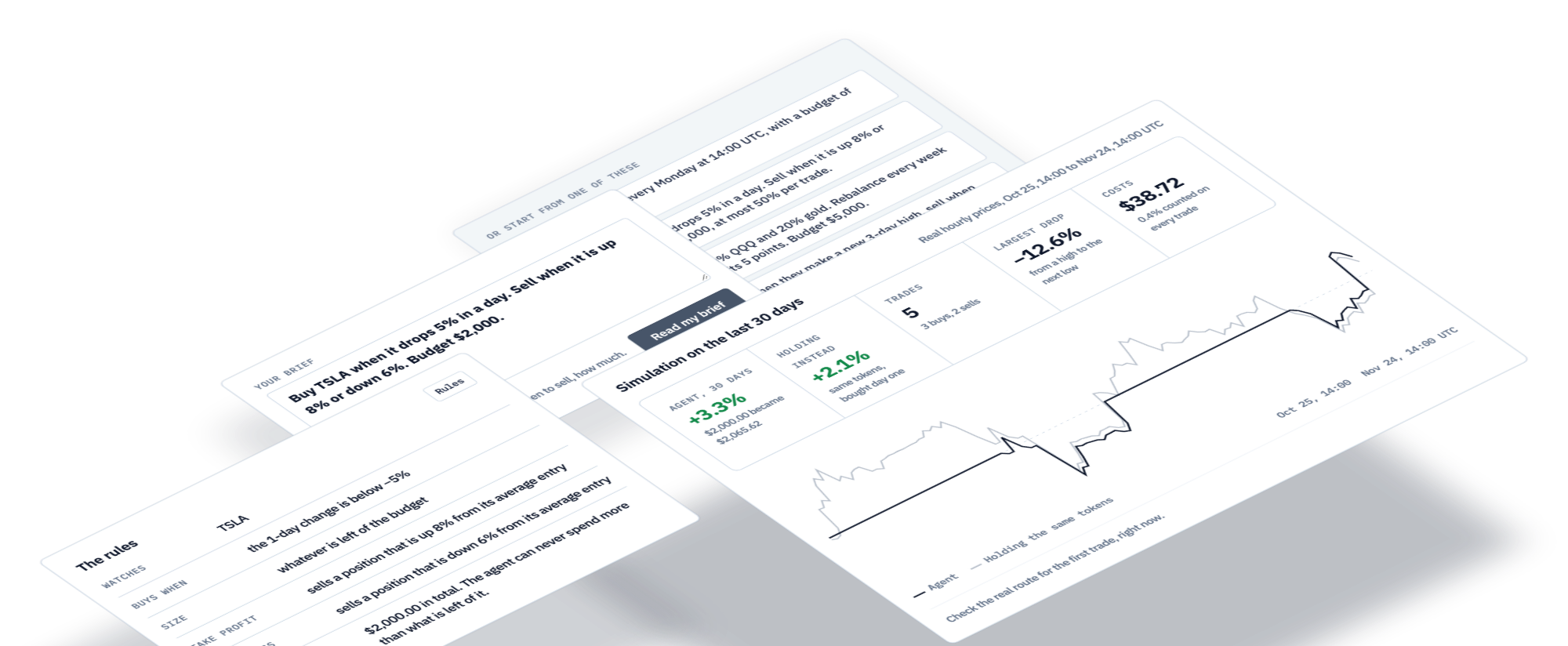
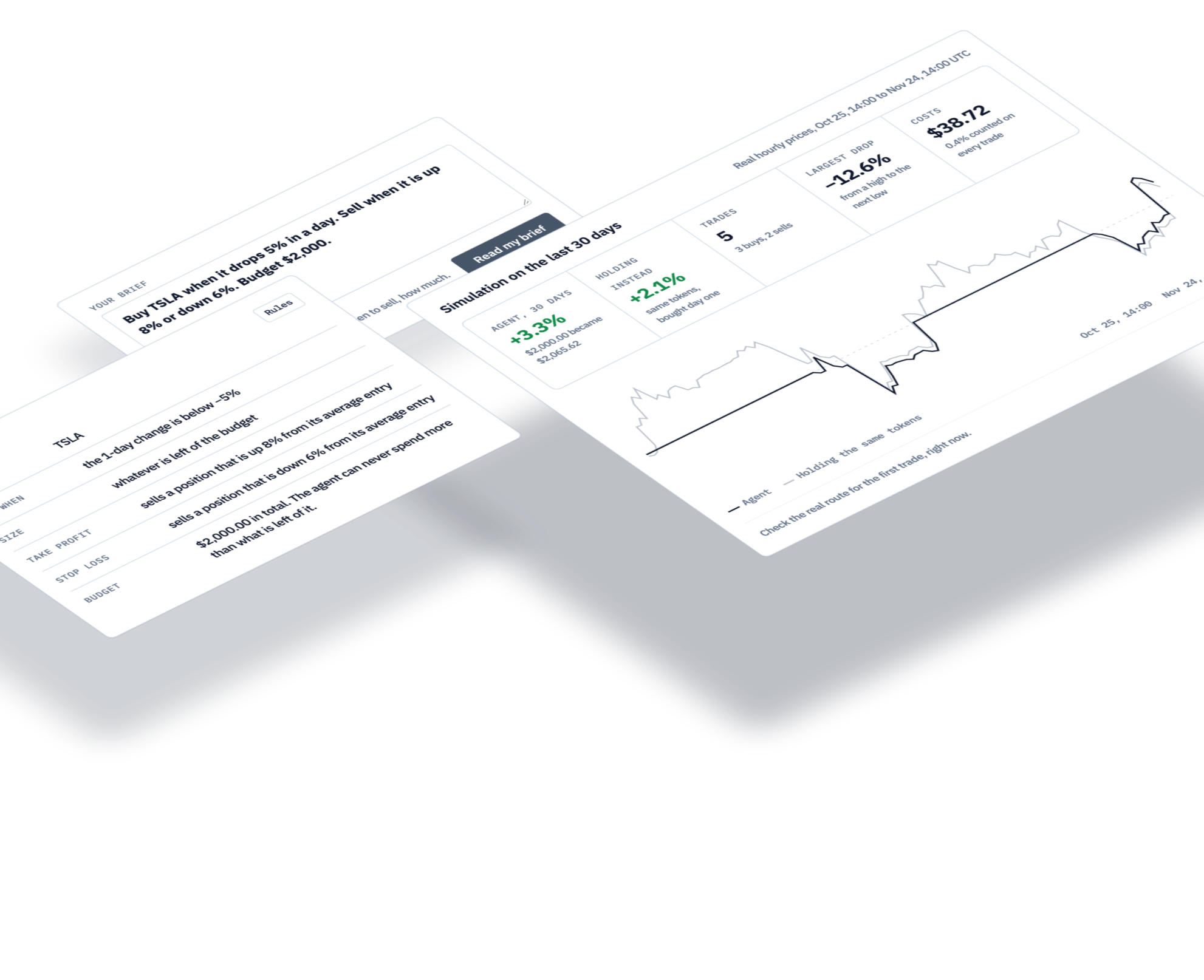
- Rules. “Buy TSLA when it drops 5% in a day. Sell when it is up 8% or down 6%.” Conditions can use a price level, a change over a period, an average, a recent high or low, and the RSI.
- A basket. “Keep 50% SPY, 30% QQQ and 20% gold. Rebalance every week or when a weight drifts 5 points.”
The reader is a fixed parser, not a language model. The same sentence always gives the same rules, and what it did not understand is told to you instead of being guessed. If you forget to say when to sell, it adds a take profit and a stop loss and says so.
2. Read the rules
Before anything runs you see the draft in full: what the agent watches, when it buys, when it sells, the size of each trade and the total budget. Change the numbers in the form, or rewrite the brief and read the new draft. Nothing is saved until you start the agent.
3. Run the simulation
The draft is replayed on the last 30 days of hourly prices, read from each market’s USDG pool on Robinhood Chain. The replay uses the same engine as a running agent, charges 0.4% on every simulated trade, and is shown next to the result of simply buying the same tokens on the first day and holding them.
You also get the number of trades, the largest drop from a high to the next low, and the full list of simulated trades with the reason for each one. A button checks the live route for the first trade, so you can see the venue and the expected fill at the current price.
A simulation replays one month that already happened. It tells you whether the agent does what you meant. It does not tell you what next month will pay.
4. Start it, in one of two modes
Paper mode
The agent keeps score with simulated money on live prices. Nothing moves. It is the right way to watch a new agent for a week before you trust it with anything.
Wallet mode
The agent cannot move anything by itself. When its rules call for a trade, it writes a request on your desk: the market, the amount and the reason. You review the route and the expected fill, then sign the swap from your own wallet. Deskhand reads the confirmed transaction on chain and books what really happened, with the transaction hash kept next to the reason. A request you do not answer expires after six hours.
5. What an agent may touch
- Only the tokens named in its rules, plus USDG.
- Only the budget you gave it. Once the budget is spent, it stops buying.
- It never holds your keys and there is no deposit: in wallet mode every transaction is signed by you, in your wallet.
- It can be paused or stopped at any time. Stopping is final; the history stays.
6. The marketplace
Any agent you run can be published as a listing with a description, a price and a version history. A listing shows its rules, the permissions it asks for and its 30-day simulation before anyone installs it.
Installing gives the buyer their own copy, with their own budget and their own mode. The creator never sees or controls it. A paid listing is paid in USDG straight from the buyer’s wallet to the creator’s, and the server only checks that the transfer happened. Deskhand takes no cut.
7. Where prices come from
Two minutes after every hour, Deskhand reads the 22 pools on chain and every running agent decides. Bitcoin and ether are also compared with their Chainlink feed. A market with a missing price, or a pool more than 2% away from its feed, is skipped for that hour: the agent waits and says why.
8. For AI agents
Deskhand also runs an MCP endpoint, so Claude, Cursor or any agent can draft strategies, replay them and read the marketplace and the live log for you. It is read-only: starting an agent stays with you. Setup is on the MCP page.
9. What it does not do
- It does not predict prices and it does not promise a return.
- It does not trade faster than once an hour.
- It does not place limit orders on an exchange: wallet-mode trades are swaps against on-chain pools, with a 1% slippage limit.
- It is not available where trading these tokens is not allowed. Check the rules that apply to you.
Write your first agent
One sentence is enough. You will see the rules and 30 days of simulation before anything runs.